Best Mini Amplifiers for Desktop Speakers in 2025
Your desktop speakers often have more potential than you realize, but they can sound weak and lifeless when powered directly by a computer. The built-in audio hardware just isn’t strong enough. A mini amplifier is a simple solution that boosts clarity, volume, and detail without cluttering your desk. This guide will help you choose the right mini amp for your PC, desk studio, or home office, unlocking the true sound of your speakers.
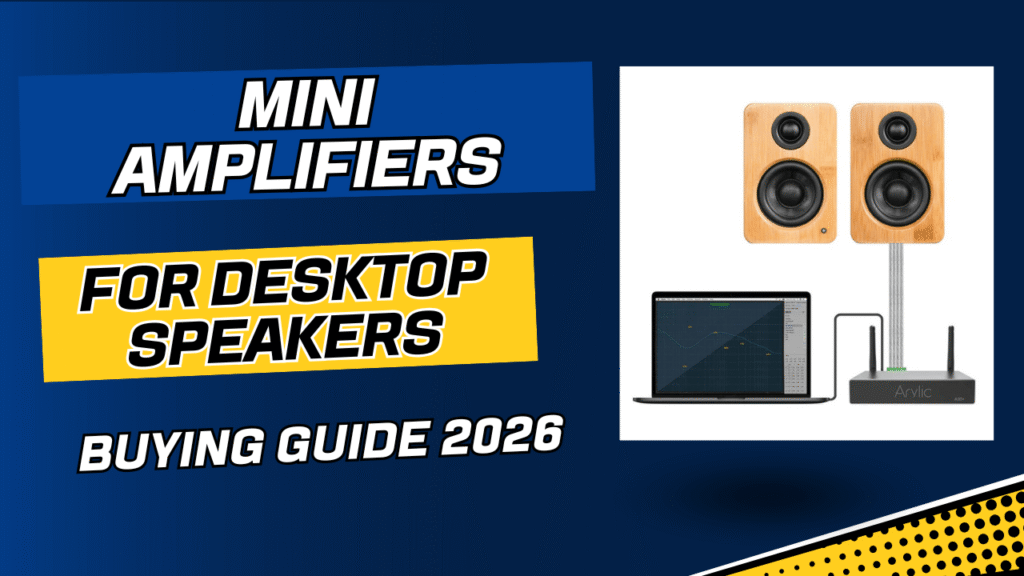
Why You Need a Mini Amplifier for Desktop Speakers
Many people invest in good passive speakers but neglect to give them the power they deserve. A mini amplifier bridges this gap, transforming a mediocre desktop audio setup into an impressive listening experience.
Weak PC speakers and low power output
The audio output from a computer’s motherboard or a laptop’s headphone jack is notoriously weak. It lacks the power needed to drive passive speakers effectively, resulting in low volume and a thin, unsatisfying sound. A dedicated amplifier provides clean, consistent power.
Read also Headphone Amplifier Buying Guide
Better sound clarity, bass control, and volume
By supplying adequate power, a mini amp allows your speakers to perform as they were designed. You’ll notice improved sound clarity across all frequencies, tighter and more controlled bass, and the ability to reach higher volumes without distortion.
Compact size with high efficiency
Modern mini amplifiers are incredibly compact, often no larger than a paperback book. They use highly efficient Class D technology, which generates significant power without producing excess heat or consuming much electricity, making them perfect for a desktop environment.
Ideal for small desks and near-field listening
Their small footprint makes mini amps a perfect fit for crowded desks. They are optimized for near-field listening, which is how most people listen at a desk. This ensures you get a detailed and immersive soundstage even when sitting close to your speakers.
What to Look for in a Mini Desktop Amplifier (Buying Guide 2025)
Navigating the specifications of mini amps can be tricky. Here are the key factors to consider.
RMS power output (not peak)
Ignore peak power ratings, which are often inflated for marketing. Look for the RMS (Root Mean Square) power rating, which indicates the continuous power an amp can deliver. For near-field listening, 30-50 watts RMS per channel is more than enough.
Bluetooth 5.3 or LDAC support
For wireless streaming, look for the latest Bluetooth standards like 5.3 for a stable connection. If you prioritize high-resolution audio, codecs like LDAC or aptX HD are essential for transmitting detailed sound wirelessly.
DAC quality and signal-to-noise ratio
A good built-in Digital-to-Analog Converter (DAC) is crucial for converting digital files from your computer into clean analog sound. A high signal-to-noise ratio (SNR), typically above 100dB, means you’ll hear more music and less background hiss.
Inputs: USB, optical, aux, sub-out
Consider your sources. A USB input is great for a direct connection to a PC, while an optical input is ideal for TVs or game consoles. An RCA or 3.5mm aux input provides analog flexibility. A dedicated sub-out port is a must if you plan to add a subwoofer for deeper bass.
Class D vs Class AB for desktop use
Class D amplifiers are the standard for mini amps due to their high efficiency, low heat output, and compact size. While some audiophiles prefer the warmer sound of Class AB amps, modern Class D designs offer outstanding, neutral sound quality perfect for desktop use.
Compatibility with passive bookshelf speakers
Ensure the amplifier’s impedance rating (measured in ohms) matches your speakers. Most mini amps are stable with speakers rated between 4 and 8 ohms, which covers almost all passive bookshelf speakers.
Heat management and long-term reliability
A well-designed amp should manage heat effectively without needing a noisy fan. Look for models with solid metal casings that act as heatsinks. Reputable brands with good reviews are generally a safer bet for long-term reliability.
Read also Best Winter Jackets for Extreme Cold
Best Mini Amplifiers for Desktop Speakers in 2025
Here are our top picks that offer a great combination of power, features, and value.
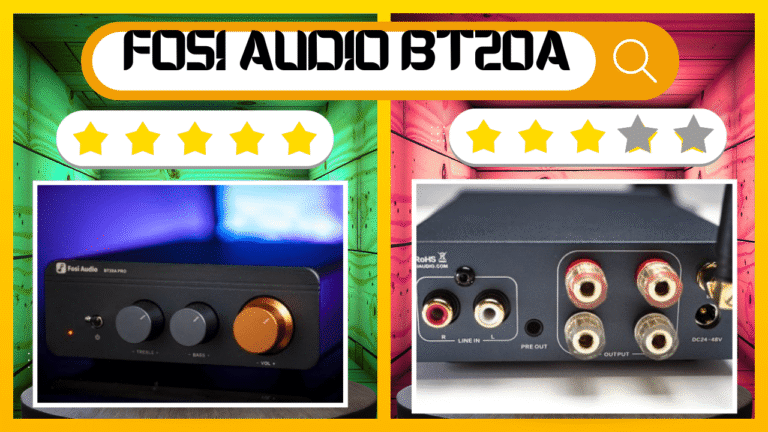
1. Fosi Audio BT20A Pro
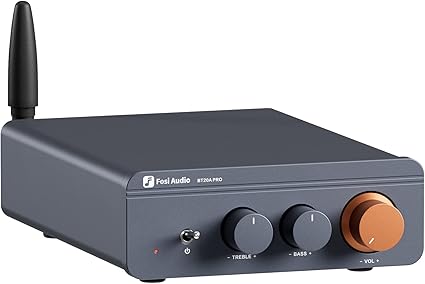
Fosi Audio BT20A Pro
The Fosi Audio BT20A Pro is a powerhouse in a tiny package, known for its clean power and versatile tone controls. It has become a favorite in the budget audiophile community.
- Key Features: Texas Instruments TPA3255 chip, 300W x 2 max power, Bluetooth 5.0, bass and treble controls.
- Pros: Impressive power output for its size, clean and detailed sound, swappable op-amps for sound tuning.
- Cons: Power brick is quite large, Bluetooth is functional but basic (no high-res codecs).
- Who it’s for: Users who want maximum power and customizable sound on a budget.
2. SMSL SA300 / SA400
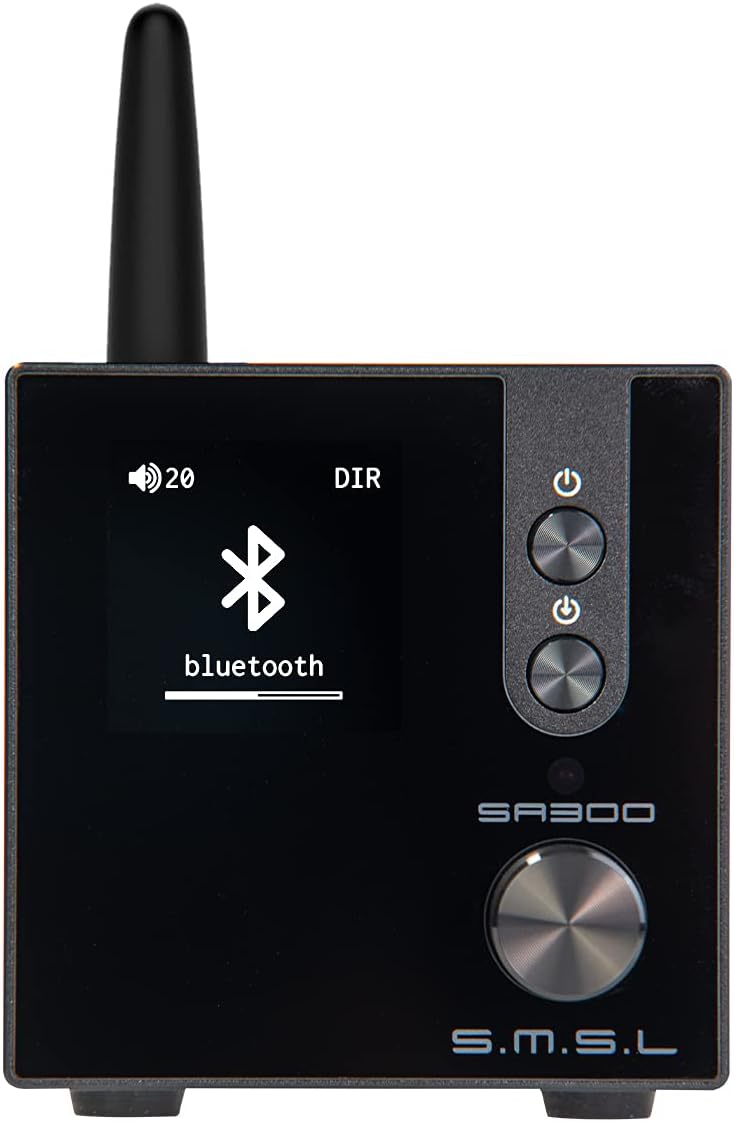
S.M.S.L SA300 HiFi Digital Amplifier
SMSL is a respected name in desktop audio, and the SA300 and SA400 models offer a premium experience with excellent built-in DACs and user-friendly features.
- Key Features: Infineon Class D chip, built-in high-quality DAC, Bluetooth 5.0 with aptX, subwoofer output, and remote control.
- Pros: Superb sound quality, multiple EQ presets, compact and stylish design with a clear display.
- Cons: Can be more expensive than competitors, power might be less than advertised into real-world loads.
- Who it’s for: Those seeking an all-in-one solution with a great DAC and remote for convenience.
3. AIYIMA A07 Max
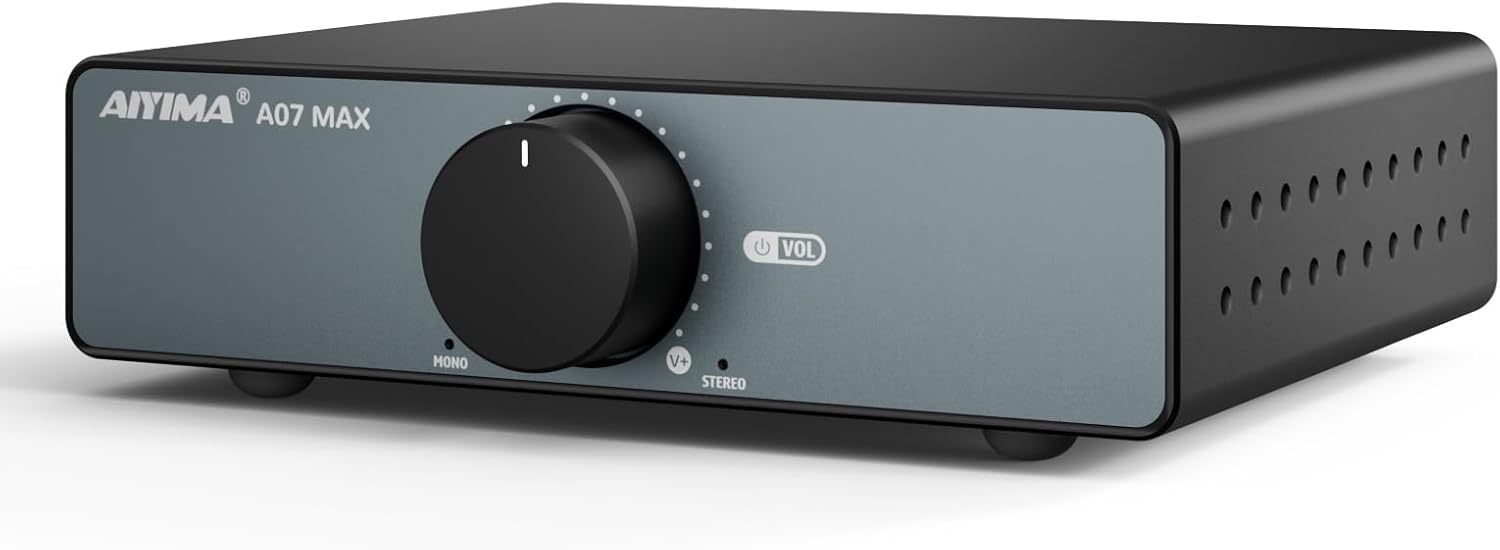
AIYIMA A07 Max
Building on the success of the legendary A07, the A07 Max is a dual-mono amplifier that provides excellent channel separation and immense power, making it a true audiophile bargain.
- Key Features: Dual TPA3255 chips (mono configuration), 300W x 2 power, balanced XLR and RCA inputs, swappable op-amps.
- Pros: Incredible power and clarity, excellent stereo separation, great for driving demanding speakers.
- Cons: No built-in Bluetooth or DAC, requires a separate preamp for volume control if using both mono blocks.
- Who it’s for: DIY audio enthusiasts and purists who want uncompromising power and performance.
4. Sabaj A20a / A30a
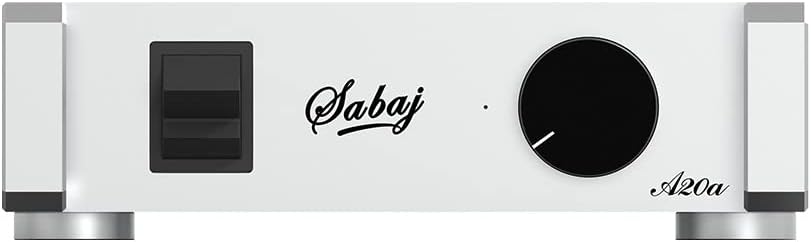
Sabaj A20a
The Sabaj A20a and A30a are known for their high-end German engineering, featuring Infineon chips that deliver exceptionally clean and neutral sound.
- Key Features: Infineon Class D chip, balanced XLR inputs, high output power, robust aluminum chassis. The A30a offers even more power.
- Pros: Extremely low distortion, very neutral and accurate sound signature, excellent build quality.
- Cons: No tone controls or Bluetooth, minimalist feature set focuses purely on amplification.
- Who it’s for: Audiophiles who prioritize technical performance and sonic purity above all else.
5. Douk Audio M4 Mini Amp
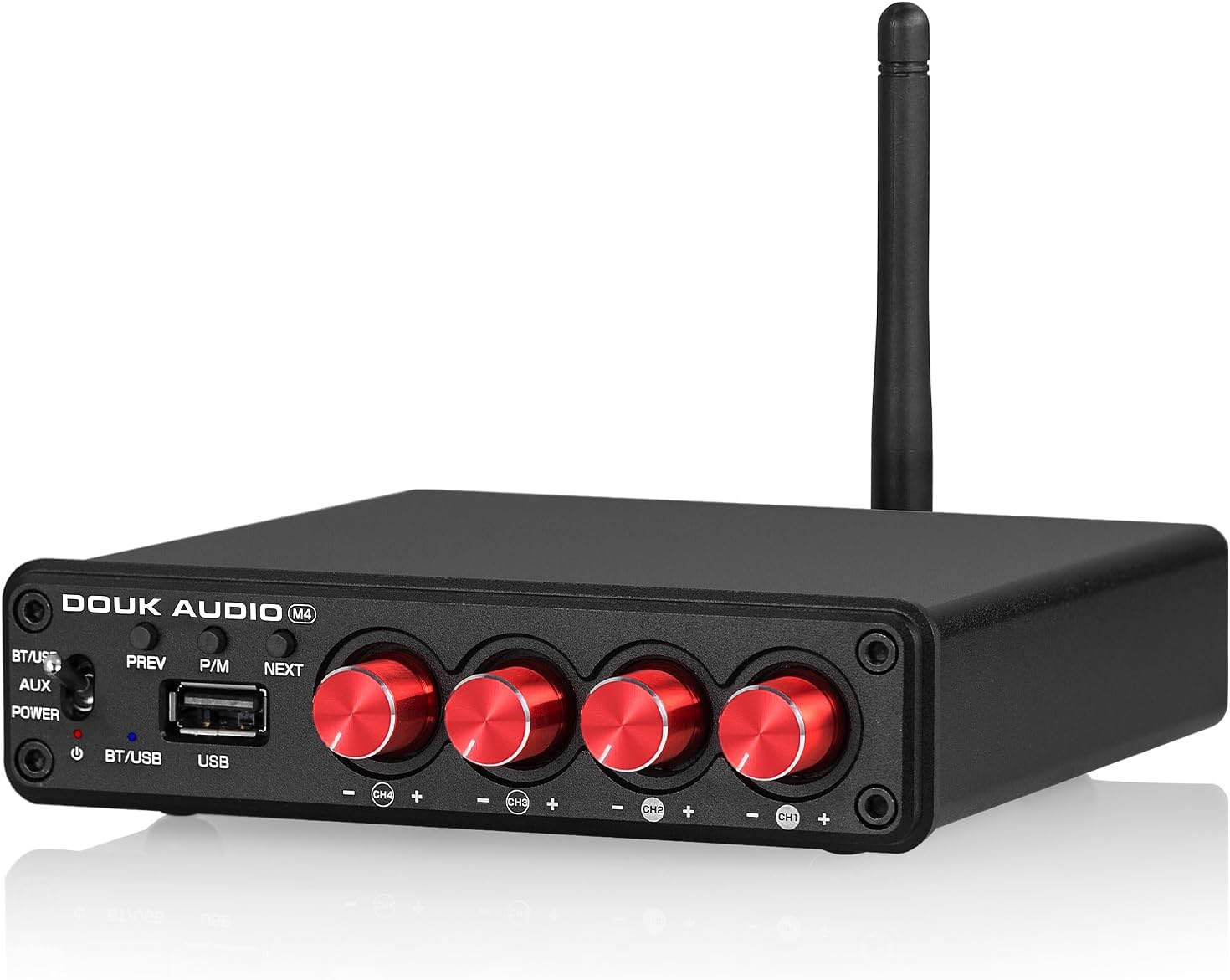
Douk Audio M4 Mini Amp
The Douk Audio M4 is a unique 4-channel amplifier that allows you to bi-amp your speakers or power two separate pairs, offering incredible flexibility for desktop setups.
- Key Features: 4-channel output, Bluetooth 5.0, 2-channel and 4-channel input modes, individual volume controls.
- Pros: Unique bi-amping capability for improved sound, can power multiple speaker sets, very compact.
- Cons: Lower power per channel compared to 2-channel amps, can be complex to set up.
- Who it’s for: Tinkerers and users who want to experiment with bi-amping their bookshelf speakers.
6. Fosi ZA3 (Near-audiophile pick)
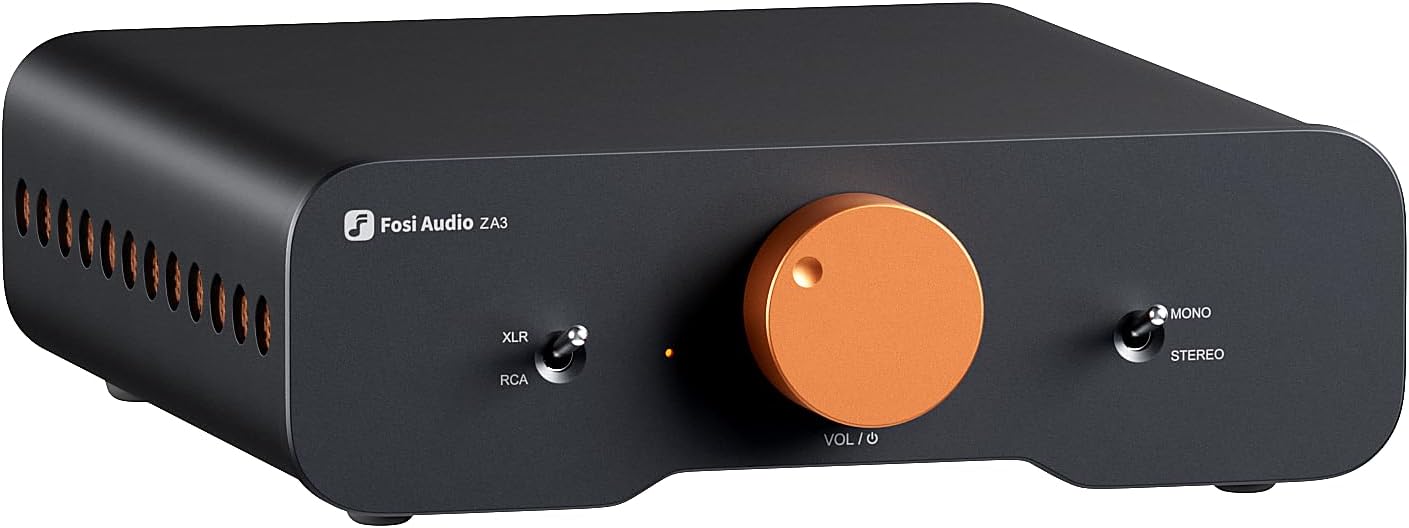
Fosi ZA3
The Fosi ZA3 has quickly become a giant-killer, offering features and performance previously unseen at its price point. It can be run as a stereo amp or as a pair of powerful monoblocks.
- Key Features: TPA3255 chip, balanced XLR inputs, subwoofer output, sleek design with integrated volume knob and VU meter.
- Pros: Outstanding sound quality that competes with much more expensive amps, mono/stereo switchable, excellent aesthetics.
- Cons: The included power supply limits its max potential (upgrading is recommended).
- Who it’s for: Anyone looking for near-audiophile performance without the high-end price tag.
Comparison Table: Best Mini Desktop Amps 2025
| Amplifier | Power (RMS, approx.) | Inputs | Bluetooth | DAC Quality | Best Use Case | Price Range |
|---|---|---|---|---|---|---|
| Fosi Audio BT20A Pro | ~125W x 2 | RCA | Yes (SBC) | N/A | High-power budget setup | $ |
| SMSL SA300 | ~40W x 2 | USB, RCA | Yes (aptX) | Excellent | All-in-one convenience | $$ |
| AIYIMA A07 Max | ~200W x 2 | RCA, XLR | No | N/A | Demanding speakers, DIY | $$ |
| Sabaj A20a | ~150W x 2 | RCA, XLR | No | N/A | Audio purists | $$$ |
| Douk Audio M4 | ~30W x 4 | RCA | Yes (SBC) | N/A | Bi-amping enthusiasts | $ |
| Fosi ZA3 | ~110W x 2 | RCA, XLR | No | N/A | The best overall value | $$ |
Mini Amplifier vs Powered Speakers – Which Is Better for Your Desk?
This is a common dilemma. Both are great options, but they suit different needs.
When a mini amp + passive speakers is better
This setup offers more flexibility and a clear upgrade path. You can swap out the amplifier or the speakers independently as your budget or taste changes. It allows for more customization and is often preferred by audio hobbyists.
When powered monitors are the better option
Powered speakers (or active monitors) have the amplifier built-in. They are an all-in-one, plug-and-play solution that is simple to set up and saves space. This is great for users who value convenience and a minimalist desk.
Cost difference analysis
Initially, a good pair of powered speakers might seem cheaper than buying a separate amp and passive speakers. However, a quality mini amp and speaker combo can often provide better performance for a similar price and offers better long-term value due to its modular nature.
Best Speaker Pairings for Mini Desktop Amplifiers
A great amp needs great speakers. Here are some excellent passive bookshelf speakers that pair beautifully with mini amps.
- Edifier P12: A very affordable and well-balanced speaker that is easy to drive and sounds great for the price.
- Micca MB42X: A long-time budget champion known for its surprising clarity and detail, thanks to its carbon fiber woofer and silk dome tweeter.
- Dayton Audio B652-AIR: Features an Air Motion Transformer (AMT) tweeter for crisp, detailed highs not usually found at this price point.
- Klipsch R-41M: A highly efficient speaker with Klipsch’s signature horn-loaded tweeter, delivering dynamic and lively sound perfect for rock music and movies.
Read also Top 10 Best Rated Pit Boss Pellet Grills
Setup Guide – How to Connect a Mini Amplifier to Desktop Speakers
Setting up is easy, but doing it right makes a difference.
Using speaker wire safely
Use 16-gauge or 14-gauge speaker wire. Ensure the positive (red) terminal on the amp connects to the positive terminal on the speaker, and the same for the negative (black) terminals. Make sure no stray wire strands are touching between terminals to prevent a short circuit.
USB/optical input setup
If your amp has a DAC, connect it to your PC with a USB cable. Go into your computer’s sound settings and select the amplifier as the default audio output device for the best quality.
Bluetooth setup tips
Pair your phone or computer to the amp. For the best quality, stay within a reasonable range and ensure there are no major obstructions between the device and the amplifier.
Setting gain and volume correctly
Start with the amplifier’s volume knob at zero. Play some music and slowly turn it up to a comfortable listening level. It’s best to set your computer’s volume to 100% and use the amplifier’s physical knob to control the volume.
Troubleshooting Common Issues
Amp humming or static noise
This is often caused by a ground loop. Try plugging the amp and your computer into the same power strip. A ground loop isolator on the RCA cables can also solve the problem.
Speakers not loud enough
Check that you are using an adequate power supply, as many mini amps are sold with undersized power bricks. Also, confirm your speaker wire connections are secure.
Bluetooth delay issues
Some Bluetooth latency is normal. This is most noticeable when watching videos. Some devices offer latency compensation settings, but for gaming or video editing, a wired connection is always better.
Amp overheating on long use
Ensure the amplifier has adequate ventilation and is not covered. If it’s getting too hot to touch at moderate volumes, there may be an issue with the unit or it may be underpowered for your speakers.
FAQs
Do I really need an amp for passive desktop speakers?
Yes, absolutely. Passive speakers do not have a built-in power source and will not produce sound without an external amplifier to drive them.
What power output is enough for near-field listening?
For listening at a desk (2-3 feet away), 15-30 watts of clean RMS power per channel is plenty. More power provides headroom for dynamic peaks in music but isn’t always necessary.
Are cheap mini amps good for music?
Many affordable mini amps from brands like Fosi Audio and AIYIMA offer surprisingly good sound quality for music. They provide a massive upgrade over built-in computer audio.
Can a mini amplifier power 4-ohm speakers?
Most modern Class D mini amps are stable with 4-ohm speakers. However, driving a 4-ohm load is more demanding, so ensure the amp has a quality power supply and good heat management.
Is Bluetooth quality good enough for desktop audio?
With modern codecs like aptX HD or LDAC, Bluetooth audio quality can be excellent and virtually indistinguishable from a wired connection for most listeners. Standard SBC Bluetooth is fine for casual listening but may not satisfy critical listeners.
Conclusion
A mini amplifier is one of the most impactful and cost-effective upgrades you can make to your desktop audio system. It breathes life into passive speakers, providing the power needed for clear, dynamic, and engaging sound. Whether you choose a budget-friendly powerhouse like the Fosi ZA3 or an all-in-one solution like the SMSL SA300, you’ll unlock a new level of enjoyment from your music, games, and movies.
Check today’s latest prices on these top-rated mini amplifiers and find the perfect match for your desk.